CapCut
A video editor with automatic speech-to-text captions and caption styling. For short-form or faceless-video workflows, it can reduce transcription work while keeping the final wording and timing under human review.
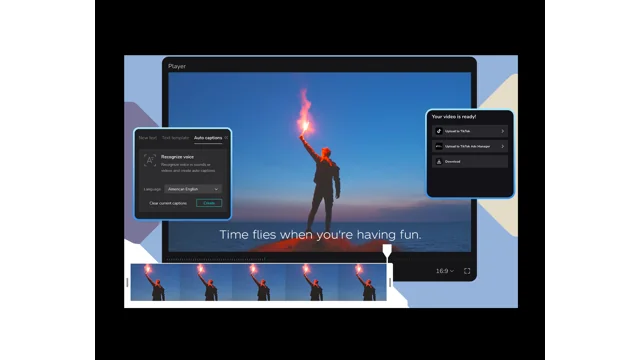
Capabilities and free-access statements checked November 7, 2026. Paid pricing was not collected or entered. See official product details for current access and terms.
Free plan: The official auto-caption page describes caption generation free of charge. Availability, sign-in requirements and feature limits may vary by app, region or account; unlimited free access was not tested.
Checked on the official pricing page on November 7, 2026. Prices change and can vary by region, tax, and billing period.
- Caption an original tutorial or faceless explainer
- Correct transcript wording before publishing a short
- Prepare readable on-screen text for a client video
- Check captions, names, timings and translations against the recording.
- Feature access may differ across regions and application versions.
- Permission for footage, faces, voices and music remains the creator’s responsibility.
Case Studies Using CapCut
Related Tools in Video & Audio Editing
OpusClip
An AI tool that turns long videos into short clips, adding captions and reframing them for vertical platforms. None of our documented cases say they used OpusClip.
Free plan: Yes. Free plan with AI clipping and captions; exports carry a watermark and are kept for 3 days.
Pricing: Free plan at $0. Starter is listed at $15/month and Pro at $29/month; Business is custom priced. Check the official pricing page for current billing terms.
Checked October 20, 2026
 Official image
Descript
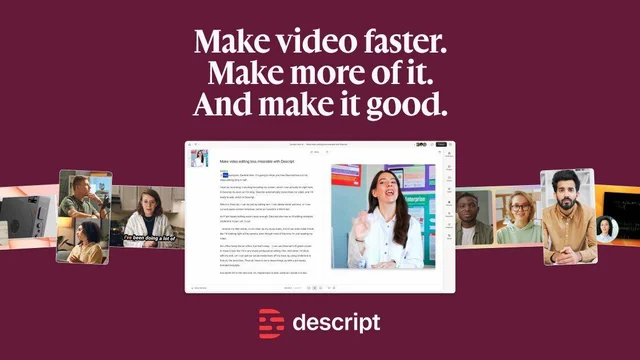
A text-based audio and video editor. It combines transcript editing, captions, AI cleanup and clip creation for podcasts, tutorials and short-form client content.
Free plan: Yes: a $0 plan; 100 one-time AI credits. No card is required to try it.
Pricing: A $0 Free plan is listed, with 100 one-time AI credits and 720p local video export. Paid Hobbyist, Creator and Business tiers have different media-hour and monthly AI-credit limits; confirm the billing choice on the official page.
Checked November 6, 2026
Featured tool card: Put your tool in front of people choosing their AI stack.
A labelled card in the tools directory and on relevant case pages. Tools only appear in case studies when a documented case actually uses them.
Sponsored tools are labelled "Sponsored" and kept separate from editorial tool listings.
Explore related resources
A related workflow does not establish tool use. The CapCut links are research alternatives, not a claim that Adavia Davis used CapCut. No paid prices were collected for these profiles.